Best AI Tools for Teachers to Reshape the Daily Classwork


Key Lessons
- Automate the stuff teachers do over and over.
- Build lessons in less time.
- Make resources that fit each student’s needs.
- Give better classroom feedback.
- Most important—teachers stay in charge.
In the U.S., teachers keep getting asked to do more with the same amount of time. There’s lesson prep, grading, talking to parents, trying to meet every student where they are, managing routines, and supporting kids who need a little extra help. Before you know it, the day’s over, and you’re still not finished. This is where AI tools can actually help. The question isn’t whether AI should take over teaching. It shouldn’t.
A better question—what busywork can AI handle, while teachers keep the parts that need real judgment, relationships, and decision-making? The best AI tools turn half-formed ideas into ready-to-use worksheets, slides, or quizzes in just a few minutes. In this post, we’re looking at seven AI options for teachers and how each one fits into real classroom life.
How AI Tools For Teachers Fit Into Daily Work?
The best AI tools for teachers are not necessarily the ones with the longest feature list. A useful tool solves a specific classroom problem without creating another complicated system to manage.
For this comparison, the focus is practical teacher workload: lesson creation, classroom resources, grading, engagement, differentiation, organization, and tutoring support. The seven tools below are evaluated by their strongest everyday use rather than vague claims about AI.
| Tool | Strongest Use | Best Fit |
|---|---|---|
| MagicSchool AI | Teacher productivity | Planning and classroom tasks |
| Brisk Teaching | In-the-moment resources | Teachers working inside existing materials |
| Curipod | Student engagement | Interactive lessons |
| Gradescope | Assessment | Grading structured work |
| Diffit | Differentiation | Adapting content for learners |
| Canva for Education | Visual resources | Presentations and classroom materials |
| Taskade | Organization | Teacher planning and workflows |
AI Teaching Tools Should Solve Real Teacher Problems
Good AI teaching tools save steps, not just generate impressive text. A teacher who spends 30 minutes turning a standard into a workable activity has a clear use case. So does a teacher adapting one reading passage for different levels.
The strongest AI teaching tools fit into existing routines. They should make work lighter without forcing teachers to rebuild their whole workflow.
Don't Miss: Best Education Podcasts for Teachers to Save Planning Time
MagicSchool AI Helps Teachers Handle Repetitive Tasks
MagicSchool AI is one of the best AI tools for teachers when the problem is simply having too many small jobs. It supports lesson planning, writing, differentiation, assessment-related tasks, and other common teacher workflows.
If you’re a teacher in the U.S., AI can help you turn a blank page into a solid first draft in no time. You still go through everything, making sure it’s accurate and fits your class—but you start ahead.
AI Tools for Educators Need Practical Flexibility
Out of all the AI tools out there for teachers, MagicSchool AI really stands out because it covers so many everyday tasks. It can be useful when a teacher needs several different resources during one planning period instead of opening separate tools for each task.
The value is breadth. Not magic.
Brisk Teaching Works Inside Existing Teacher Workflows
Brisk Teaching is particularly useful for teachers who already have documents, webpages, presentations, or other instructional material. Rather than starting every resource from scratch, teachers can use AI to transform existing material into classroom-ready formats.
That makes Brisk one of the more useful AI tools for education for teachers who want to keep their current workflow.
AI Lesson Planning Tools Can Start With Existing Content
Teachers often have the content already. The hard part is reshaping it. Brisk can support AI lesson planning tool workflows by helping teachers turn existing material into lessons, activities, or other instructional resources.
For teachers searching for the best AI tools for lesson planning, that reuse-first approach is worth considering. It reduces the blank-page problem.
Curipod Makes AI in Education More Interactive
AI in education becomes more interesting when students actually interact with the lesson. Curipod focuses on interactive presentations and activities that can encourage students to respond during instruction.
That gives Curipod a different role from planning-focused AI tools for teachers. It’s not just about prepping everything in advance; it actually helps you create moments where students get involved.
AI Tools for Student Engagement Need Participation
The best AI tools for student engagement should give students something to do, not simply give teachers more slides. Curipod can support interactive prompts, responses, and classroom activities.
For a teacher trying to break up passive instruction, this makes it one of the stronger AI tools for student engagement. The goal is participation, not decoration.
Suggested Reading: Effective Team Building Strategies for Preschool Teachers
Gradescope Reduces the Burden of Repetitive Grading
Grading is one area where AI can have an obvious time-saving role. Gradescope supports digital assessment workflows and can help teachers grade certain types of assignments more efficiently and consistently.
This becomes pretty useful when you’re grading the same question over and over because lots of students answered it. Instead of doing the same thing repeatedly, you can organize grading so it’s quicker and less draining.
AI Grading Tools for Teachers Need Human Review
But to be clear, these grading tools are there to help you make decisions, not make them for you. Gradescope can help with the mechanics of grading, but teachers remain responsible for deciding whether feedback is fair and whether an unusual response deserves another look.
For anyone comparing the best AI grading tools for teachers, workflow fit matters as much as automation.
Diffit Makes Differentiation Less Time-Consuming
Differentiation sounds straightforward until a teacher has to create multiple versions of the same resource. Then there’s Diffit, which helps you tweak reading material to match different levels and needs in your class.
If you teach a mixed-ability group, Diffit’s a lifesaver when you need content that actually works for everyone.
AI Tools for Creating Worksheets Can Reduce Rework
Teachers looking for AI tools for creating worksheets often need something more specific than a generic text generator. They need usable questions, reading material, vocabulary support, or activities tied to the lesson.
Diffit can support AI tools for creating worksheet workflows by adapting source material instead of forcing teachers to create every version manually. That can save significant preparation time.
Canva for Education Turns Ideas Into Classroom Resources
![]()
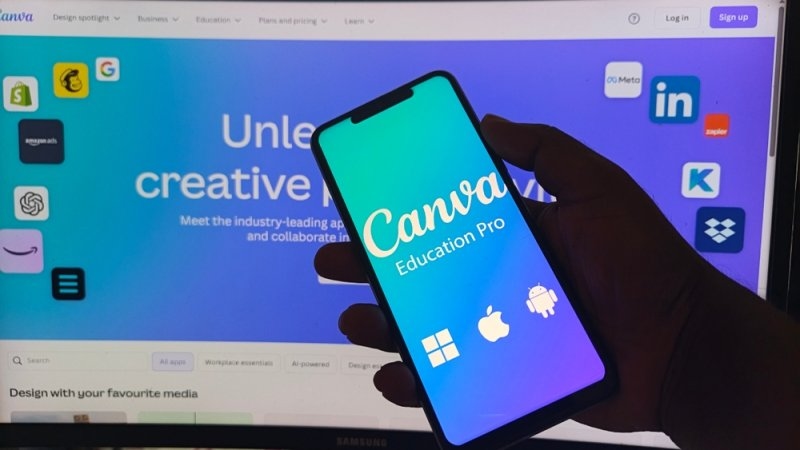
Canva for Education is useful when the challenge is visual communication. For making things like slides, posters, worksheets, or announcements—basically anything you want to look good—teachers don’t need to be expert designers.
Canva handles the layout and design, which is especially handy if you care about how things look as much as what they say.
AI Tools for Education Work Better With Strong Design
Sure, not every worksheet or handout has to be stunning. But when materials are visually clear and easy to read, students pay more attention. Canva helps you turn a rough idea into something polished and fast—so when you need classroom resources in a hurry, it’s your go-to.
It is especially useful for presentations and visual handouts.
Taskade Gives Teachers a Better Way to Organize Work
Taskade is less classroom-content focused than the other tools. Its strength is organization. Teachers can use it for projects, task lists, planning, collaboration, and repeatable workflows.
That makes it relevant to AI tools for teacher productivity, particularly when the problem is scattered work rather than lesson creation.
AI Tools for Classroom Management Can Support Organization
AI tools for classroom management are not limited to behavior tracking. Organization is part of management too. Taskade can help teachers structure recurring responsibilities, planning tasks, projects, and team workflows.
For teachers searching for the best AI tools for classroom management, it is worth considering as an organizational layer rather than a behavior solution.
Which AI Tools are Best for Teachers in 2026?
The best AI tools for teachers in 2026 depend on the task. There is no single winner for every classroom. MagicSchool AI is strongest for broad teacher productivity. Brisk works well with existing content.
Curipod gets students talking. Gradescope makes grading easier. Diffit tailors assignments for different learners. Canva supports visual resources. Taskade organizes the work around everything else.
Teachers also searching for free AI tools for teachers should check current plans and school access because features and pricing can change. The practical approach is simple: choose one repetitive task, test one tool, review every output, and then expand only if it genuinely saves time.
How to Use AI Tools for Teaching Without Losing Control?
The best AI tools for teachers to save time are used with boundaries. AI can draft. Teachers decide. Before diving into AI tools—whether it's for tutoring, managing your classroom, or anything else—check your school’s rules and privacy guidelines, and double-check what the tool spits out for mistakes.
Here’s a simple way to use these tools:
- Set a clear goal for what you want the tool to do.
- Look over the material it creates. Watch out for errors or anything off.
- Tweak examples so they make sense for your class and fit your lessons.
- Keep sensitive student information out of prompts unless approved.
- Use teacher judgment as the final checkpoint.
That is also the practical answer to how to use AI tools for teaching. Start with assistance, not substitution.
Also Read: Mastering Classroom Library Organization: Tips for Teachers
Conclusion
The strongest AI teaching tools don’t try to do the teacher’s job. They handle the time-consuming parts—the stuff that doesn’t require a lot of expertise but eats up your planning period.
But every classroom is different. A math teacher buried under grading needs something different from an elementary teacher who has to make five versions of the same worksheet or a high school teacher who wants interactive lessons with less fuss.
The best AI teaching tools take away the friction. MagicSchool AI, Brisk Teaching, Curipod, Gradescope, Diffit, Canva for Education, and Taskade all focus on a particular pain point.
Here’s the thing—don’t just take the claims at face value. Try these tools out on your own tasks. The right tool gives you back time but doesn’t take away your control over teaching. Used thoughtfully, AI can mean better planning, stronger materials, and more time to actually teach.
Frequently Asked Questions
Can AI handle individual homework?
Yes, it can. AI can create various assignments and homework sets based on your child's individual needs. However, review what it produces—ensure consistency of level and accuracy to match the desired objectives.
Could teachers utilize AI in preparing parent reports?
When it comes to talking with parents, AI can help draft newsletters, reminders, or other messages. Always read them yourself before sending, especially if it’s about a specific student.
Can AI tools help with substitute teacher plans?
AI can organize schedules, activities, and backup work for a sub. You should add those details only you know about your class. Don’t leave everything up to the algorithm.
Help with parent-teacher conferences?
AI can help organize notes and draft questions for meetings. But don’t rely just on what the AI gives you. Use your own insights and real examples from your classroom.
Should students pick their own AI tools?
Not always. Schools often have approved programs and privacy expectations. Set the rules first—then, if it fits, let students pick within those boundaries.
This content was created by AI